
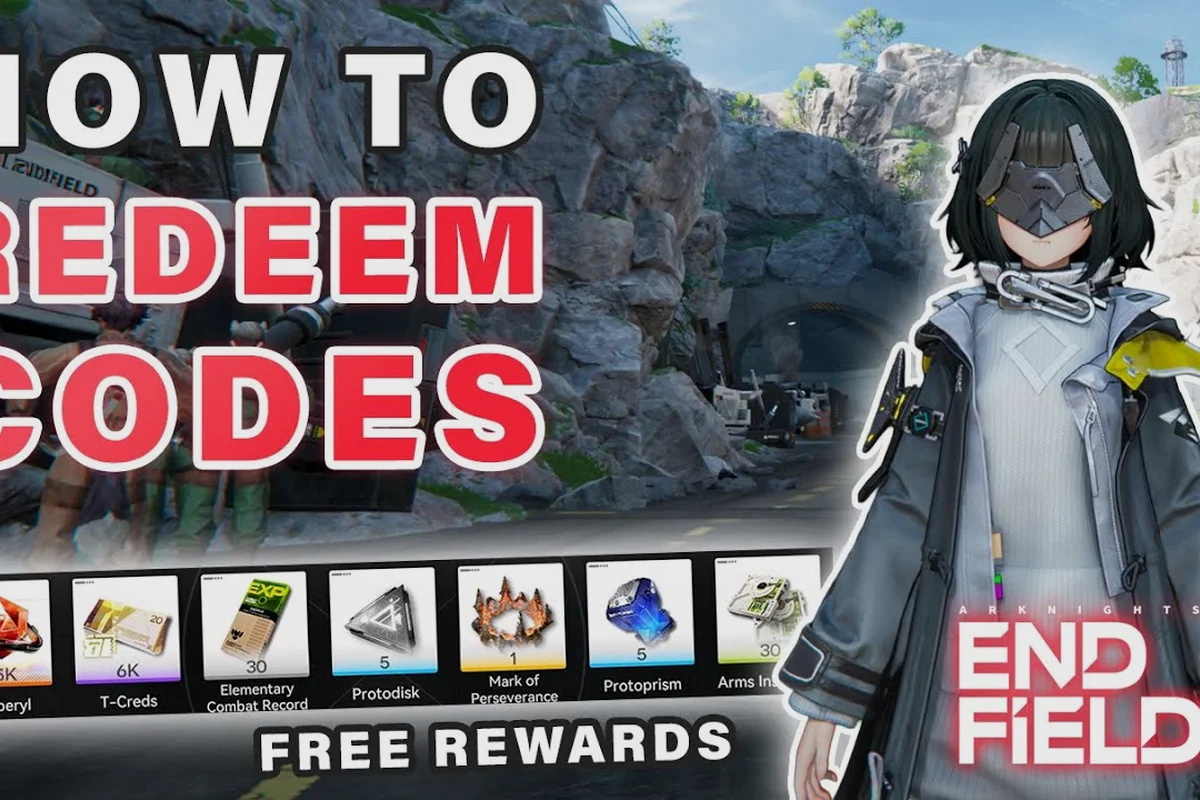
Active Arknights: Endfield free codes drop on a schedule that lines up with version livestreams, social posts, and milestone events, and missing a single one usually costs you a few pulls of headroom you would otherwise spend on banner characters. This page keeps the working list current and walks through the Settings menu path that exchanges a code in seconds, so any reward you have earned never quietly expires in the in-game mailbox.
Current Working Codes and Reward Breakdown
The table below collects the most recent Arknights: Endfield gift codes community trackers have confirmed as still active on accounts that have not redeemed them yet. Each entry shows the code string, the reward bundle attached to it, and a rough conversion into Oroberyl equivalents so the relative value of a code is obvious at a glance.
| Code | Reward | Approx. Oroberyl Value | Source Channel |
|---|---|---|---|
| ENDFIELDGIFT | 300 Oroberyl + 1x Arms Insp Kit | 300 | Launch mail |
| NEWYEAR26 | 200 Oroberyl + 5x T-Creds | 250 | Version 1.2 livestream |
| TACTICALOPS | 1x Recruitment Ticket + 1x Skill Module | 200 | Discord milestone |
| ENDFIELDPLAY | 10x Basic Supply Pack | 100 | X (Twitter) post |
| ENDFIELD2026 | 1x 6-Star Selector Voucher | 2,400+ | Pre-registration mail |
| THANKYOUCOMMANDER | 5x T-Creds + 3x Basic Supply | 80 | Anniversary mail |
Three codes in this list are one-time mail drops that were issued globally during the version 1.2 livestream, while ENDFIELD2026 and ENDFIELDGIFT are pre-registration and launch rewards that have been reissued for late-arriving accounts on the Game8's Endfield page on Arena of Games page. Always redeem codes as soon as you can because the in-game mailbox expires after roughly 30 days, which means an uncollected code reward can quietly vanish if you log in infrequently.
How to Read the Value Column
The "Approx. Oroberyl Value" column is a sanity check, not a hard exchange rate. The game itself does not let you trade T-Creds or supply packs for Oroberyl directly, so the conversion reflects what a veteran player could realistically farm in the same time window using a mid-game team. A Recruitment Ticket is weighted higher than a 100-Oroberyl pull because the ticket is single-pull priced at 280 Oroberyl on the standard banner, while 6-Star Selector Vouchers dominate the table because the alternative path to choosing a specific six-star operator usually costs 200+ pulls.
For players still building a roster, the codes in this list that ship supply packs and skill modules are usually more impactful than raw Oroberyl, because a fresh account needs EXP Material and Weapon Enhancement Drops to clear the first few story acts. Reserve your newly minted Oroberyl for limited banners where the featured six-star operator fills a clear role gap on your team, rather than burning it on the standard supply the moment it lands.
Code Drop Sources Worth Watching
The fastest Arknights: Endfield code sources are the official livestreams, the Discord, and the developer account on X (formerly Twitter). Community trackers aggregate these drops within minutes, but the primary channels are still where the codes are first published, and that matters because the in-game mailbox cap is not unlimited. Cross-reference what you see in the table above with the latest Arknights: Endfield code list if you want a timestamped log of which channel issued which code.
What Livestream Programs Hand Out
Version livestreams are the highest-value code source because they tend to ship 2-3 codes per show, and the bundle sizes are usually larger than social-only drops. A standard livestream bundle includes some combination of Oroberyl, T-Creds, and a single use of a limited consumable like a Skill Module or an Arms Insp Kit. The codes stay valid for the remainder of that version cycle, so they usually remain redeemable for about 6-8 weeks before the developers retire them, which means you have plenty of time even if you watch the stream a day late.
| Source | Frequency | Typical Code Yield | Validity Window |
|---|---|---|---|
| Version livestream | Every 6-8 weeks | 2-3 codes | Through version end |
| Discord milestones | Ad-hoc | 1 code per milestone | 2-4 weeks |
| X (Twitter) posts | 1-2x per week | 1 code | 7-14 days |
| In-game mail | Event-based | 1 gift per account | 30 days |
| Pre-registration | Once per account | 1 starter pack | 90 days |
Channels That Announce Working Codes
Outside of livestreams, the developer X account posts shorter-form codes that usually expire faster, often within 7-14 days, and are intended as recurring login incentives for active players. These short-window codes are easy to miss if you only check once a week, so the practical move is to bookmark a community tracker that mirrors the official posts and pulls new entries into a single list. Reddit's r/ArknightsEndfield is the most active aggregator, and several Discord servers maintain a pinned message in a #codes channel that updates within minutes of the X post going live.
The Arknights: Endfield Discord and X feeds also seed the codes that appear as pre-registration mail on new accounts, and the pre-registration rewards breakdown tracks which channels have shipped which code historically. A useful habit is to screenshot any code you redeem with a date stamp in the filename, so you can quickly prove a code expired before you reached it if support ever needs to see evidence.
How to Redeem a Code in the Settings Menu
Every Arknights: Endfield exchange code is redeemed through a single menu path, and the path does not change between PC, PlayStation 5, iOS, and Android, which is one of the more convenient design choices in the current build. The whole flow takes about ten seconds once you know where to look, and the reward lands in your mailbox rather than your inventory, so a new player who skips the mailbox tab may genuinely think the code failed.
| Step | Action | Menu Path | Notes |
|---|---|---|---|
| 1 | Open the main menu | Hamburger icon (top right) | Works from any screen |
| 2 | Enter Settings | Settings cog | Last option in the menu list |
| 3 | Open Platform and Account | Inside Settings | 4th sub-menu |
| 4 | Tap Exchange Code | Bottom of the page | Empty text field appears |
| 5 | Type or paste the code | Text input | Case-insensitive, no dashes |
| 6 | Confirm the reward preview | Confirmation pop-up | Shows reward bundle |
| 7 | Open Mailbox | Top-left envelope icon | Collect the new mail |
The redemption screen itself is minimal: a single text field, a confirm button, and a reward preview that lists what the code will deposit. If the field rejects your code with an "Invalid Code" message, the two most common causes are that the code has already been redeemed on your account, or that the code was issued for a different region server. Each account can only redeem a given code once, so a second attempt will always fail even on a brand-new code.
What to Do When a Code Fails
If you copied a code directly from an X post and it still fails, the most common cause is a hidden character that crept in during the copy. Hidden characters tend to be invisible whitespace at the start or end of the string, or a Unicode dash that looks identical to a hyphen, and the codes not working troubleshooting guide goes deeper into the platform-specific causes. The fastest fix is to type the code manually rather than pasting it, and to confirm you are signed into the same account region where the code was originally published.
A second failure mode is timing: some codes issued during a livestream go live in waves, and a small number of accounts receive the active code an hour or two after the rest. If you are seeing the code quoted on multiple community trackers but your account rejects it, the safest move is to wait 30-60 minutes and try again rather than concluding the code is invalid. Codes that have been globally retired usually return a distinct "Code Expired" message rather than the "Invalid Code" response, which makes diagnosis straightforward once you have seen both error types at least once.
Getting the Most Out of Every Redeemed Code
A code's face value is not the same as the value it delivers to your account, because the same bundle can be high-impact for a new player and almost irrelevant for a veteran. The right play is to redeem codes into a mailbox you actually plan to clear, then open the mail in a session where you have time to use the consumables immediately rather than letting them sit in your inventory until you forget what they were for. A practical pattern is to redeem codes at the start of a play session, then move directly to a stage where the new resources have an obvious use.
| Account Stage | Best Code to Prioritize | Worst Code to Claim First | Reasoning |
|---|---|---|---|
| Fresh (Day 1-7) | Pre-registration selector | Late-game Skill Modules | Selector fills roster gap early |
| Early (Day 8-30) | Arms Insp Kit | 6-Star Selector Voucher | Kits accelerate story progress |
| Mid (Day 31-90) | Skill Module | Basic Supply Packs | Modules unlock higher-tier skills |
| Late (90+ days) | Recruitment Tickets | Beginner supply bundles | Tickets target specific units |
| Veteran (6+ months) | 6-Star Selector Voucher | Anything Oroberyl under 200 | Vouchers bypass RNG entirely |
Stacking Code Rewards With Active Banners
The strongest return on a code comes from redeeming it during a banner window where the reward solves an immediate problem. If a Recruitment Ticket drops during a banner featuring an operator you already have at 6-star potential, the ticket still has value, but it would be worth more during a banner where the operator is new to your account. The same logic applies to Arms Insp Kits: redeeming one while a weapon ascension event is running stacks the XP gain from the kit with the event multiplier, which roughly doubles the effective return of the kit on the right banner.
For longer-term planning, the Arknights: Endfield progression guide maps the natural breakpoints where each code type starts to lose value, which is around the 90-day mark for most beginners. By that point your roster is stable, your core operators are ascension-locked, and the only codes worth chasing are the ones that ship 6-Star Selector Vouchers, Skill Modules, and Recruitment Tickets. Everything else is a small QoL bonus that you can claim on your own schedule without watching a clock.
Comparing Code Channels and Reward Reliability
Not all code channels are equal, because the developer distributes codes unevenly across regions, and a code that is live on the global server may be inactive on the Chinese server and vice versa. The table below summarizes the reliability and reward size you should expect from each channel, based on community-aggregated data across the version 1.0 to version 1.2 livestream cycle.
| Channel | Reliability | Avg. Reward Size | Best For |
|---|---|---|---|
| Version livestream | Very high | Large | Bundle collectors |
| Discord milestone | High | Medium | Active community members |
| X (Twitter) posts | Medium | Small | Daily checkers |
| In-game mail | Guaranteed | Medium | Returning players |
| Pre-registration | One-time | Very large | New accounts |
| Streamer partnerships | Variable | Small-Medium | Stream viewers |
Why Some Codes Disappear Without Warning
The developer retires codes for two reasons: the version cycle ends, or the issuing campaign hits its milestone. A code retired because of an expired version will return a "Code Expired" error, while a code retired because the campaign ended often returns "Invalid Code" because the system has purged the entry. The practical takeaway is that a code that worked yesterday can stop working today with no notice, and the only safe habit is to redeem every code within 24 hours of seeing it posted, even if you do not need the reward right now.
The expired codes archive is the canonical reference for which codes have been retired, and a new entry is added within hours of the developer pulling the code from the active pool. A code that appears in the expired archive will fail for every account, including accounts that have never redeemed it before, which means the failure is not a regional issue or a typing issue, it is a hard stop.
Frequently Asked Questions
How do I redeem a code if I play on PlayStation 5?
The redemption path is identical to PC and mobile. Open the main menu, go to Settings, select Platform and Account, tap Exchange Code, and paste your code. The PS5 build shares the same account backend as the PC client, so a code redeemed on one platform counts as redeemed on the other.
Can I redeem the same code twice on different accounts?
Yes, but only if the accounts are bound to different server regions. A code published globally is usually valid on every regional server, and a fresh account on a fresh server can claim the same code independently. The restriction is one redemption per account, not one redemption per code string, so multi-account players can stack rewards across alts.
Why does my code say "Invalid Code" when other players say it works?
The two most common causes are region mismatch and a hidden character from a copy-paste. Confirm you are signed into the same server region where the code was issued, and try retyping the code manually rather than pasting it. If both fail, the code may be in the middle of a wave deployment and become active within an hour.
Do codes expire if I do not redeem them quickly?
Yes, but the timer starts when the code is issued, not when you first see it. Most livestream codes stay valid for 6-8 weeks, while X-only codes often expire within 7-14 days. The mail reward itself expires 30 days after the code is redeemed, so even a successfully redeemed code can be lost if you ignore the mailbox.
Where do I report a code that the game accepts but the reward never arrives?
Take a screenshot of the Exchange Code success message with the timestamp visible, and submit a ticket through the in-game Settings menu under Customer Service. The success screen is logged on the server side, so a screenshot is usually enough for support to reissue the reward if it failed to land in the mailbox.